
Technical: Xbox Region Locks Explained & Legitimate Ways to Redeem Your Codes
It’s the nightmare scenario for every global gamer. You’ve just secured a 12-month Game Pass Core code or a digital copy of the latest AAA blockbuster. You sit down at your rig, navigate to the redemption page, type in those 25 digits with trembling fingers, and hit "Redeem."
Then, the red text of doom appears:
"This code cannot be redeemed in your region."
The panic sets in. You feel like you’ve wasted your money. You start wondering if the code is fake. You search Reddit, only to find conflicting advice from 2018. At HC TOPUP, we see this specific support ticket daily. But here is the truth: Your code isn't broken. Your digital "handshake" with Microsoft is just out of sync.
In this technical deep-dive, we are going to pull back the curtain on Microsoft’s geo-locking mechanics. We’ll explain how the "Redemption Handshake" works, why your IP address is the ultimate gatekeeper, and how digital nomads and international students can legitimately bypass these barriers without risking an account ban.
Part I: The Anatomy of an Xbox Region Lock
To solve the problem, you first have to understand the three layers of identity Microsoft uses to track you. Most gamers think "Region" is just a setting in a menu. It’s actually a complex hierarchy of data points.
1. The Account Region (The "Soft" Lock)
This is the region you selected when you first created your Microsoft account. It dictates which currency your wallet uses (USD, SAR, EUR, etc.) and which version of the Microsoft Store you see by default. This is stored in your permanent profile database.
2. The Console/Device Region (The "Interface" Lock)
On an Xbox Series X|S or a Windows PC, you can change your "Location" in the system settings in about ten seconds. This changes the language and the local storefront, but it does not change your account's underlying residency.
3. The IP Address (The "Hard" Lock)
This is the layer that causes the most "Region Lock" panic. Every time you communicate with Microsoft’s redemption servers, your device sends an IP packet. That packet contains your approximate physical location.
-
If you have a US Account and a US Code, but your IP Address shows you are currently in Dubai, Microsoft’s server will often block the transaction to prevent what they deem "Regional Arbitrage."
.png)
Part II: Why Microsoft Cares (The Economic Reality)
Why does Microsoft make it so difficult? It’s not just to annoy you. It comes down to two things: Licensing and Purchasing Power Parity.
-
Licensing: Some games are published by different entities in different regions. A code for a game in Japan might be tied to a specific publishing contract that doesn't exist in the US.
-
Regional Pricing: Microsoft prices Game Pass and digital games lower in regions like Turkey, Brazil, or India to match local wages. If everyone in Switzerland could easily buy Turkish codes without any checks, Microsoft’s revenue model would collapse.
This is why they implemented the "IP Check" at the point of redemption. It’s their final line of defense.
Part III: The "Redemption Handshake" Process
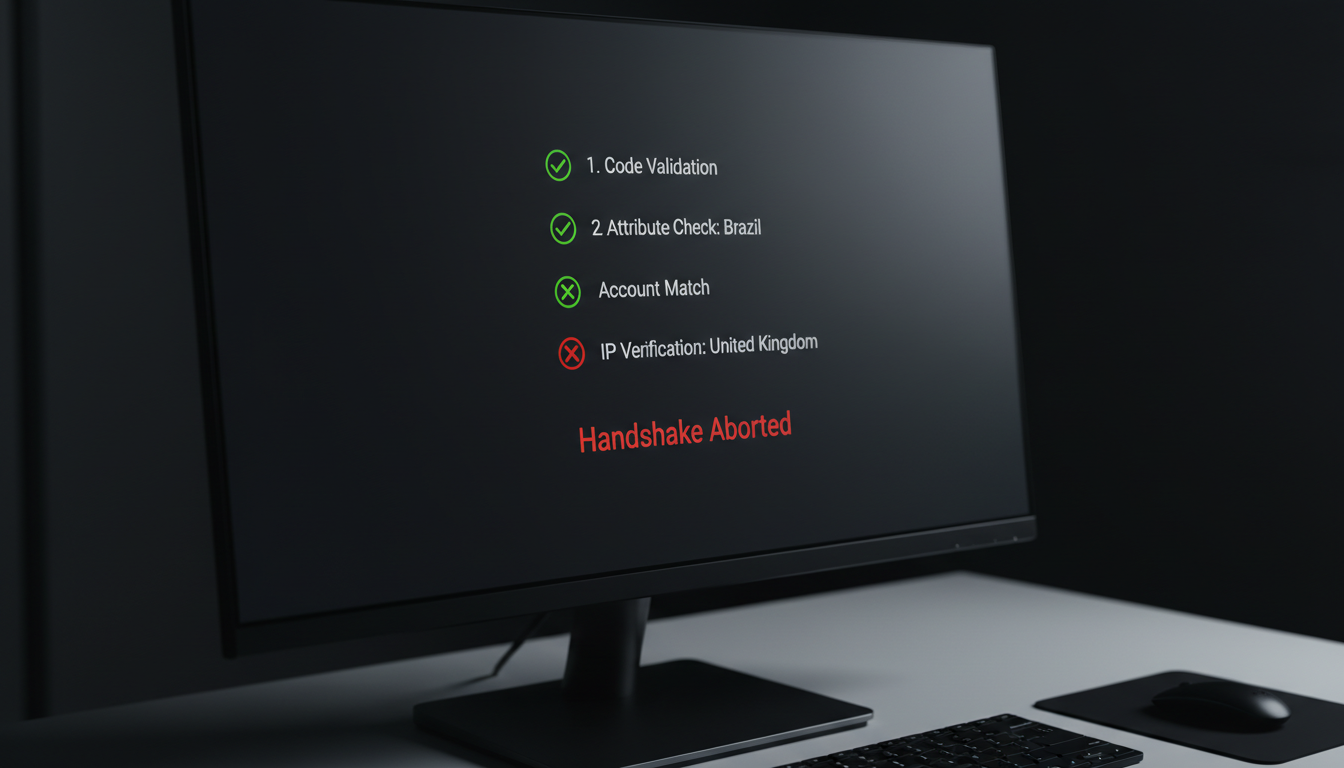
What actually happens when you click "Redeem"? Here is the technical sequence:
-
Code Validation: The server checks if the 25-digit string is valid and hasn't been used.
-
Attribute Check: The server identifies the "Home Region" of the code (e.g., this is a "Brazil Region" code).
-
Account Match: The server checks if your account is allowed to hold that content.
-
Geo-Fence Verification: The server looks at your current IP address. If the Code Attribute is "Brazil" but the IP is "United Kingdom," the handshake is aborted, and you get the error message.
Part IV: Legitimate Scenarios for Bypassing Locks
We are not advocates for fraud. However, the modern world is mobile. There are thousands of "Digital Nomads"—gamers who travel, work remotely, or study abroad—who find themselves unfairly locked out of their own libraries.
The International Student
Imagine you are from Saudi Arabia, studying in Los Angeles. You buy a US Xbox gift card at a local store. You try to redeem it on your Saudi account. Fail. This is a legitimate usage case where you need to sync your account to your current physical reality.
The Expat Gamer
You moved from London to Dubai. You still have your UK bank account and UK Xbox profile, but you are now living behind a Middle Eastern IP. Microsoft’s system will block your UK code redemptions because your IP changed.
Part V: How to Legitimately Fix the "Region Lock" Error
If you are facing the "This code cannot be redeemed in your region" error, there are three primary ways to fix the digital handshake.
Method 1: The Account Migration (The "Clean" Way)
Microsoft allows you to officially move your account to a new country. This is the most permanent fix, but it comes with strings attached.
-
The Cooldown: You can only change your account region once every three months.
-
The Wallet Wipe: Any remaining balance in your current currency (e.g., your leftover 5.00 SAR) will not move with you to your new region.
-
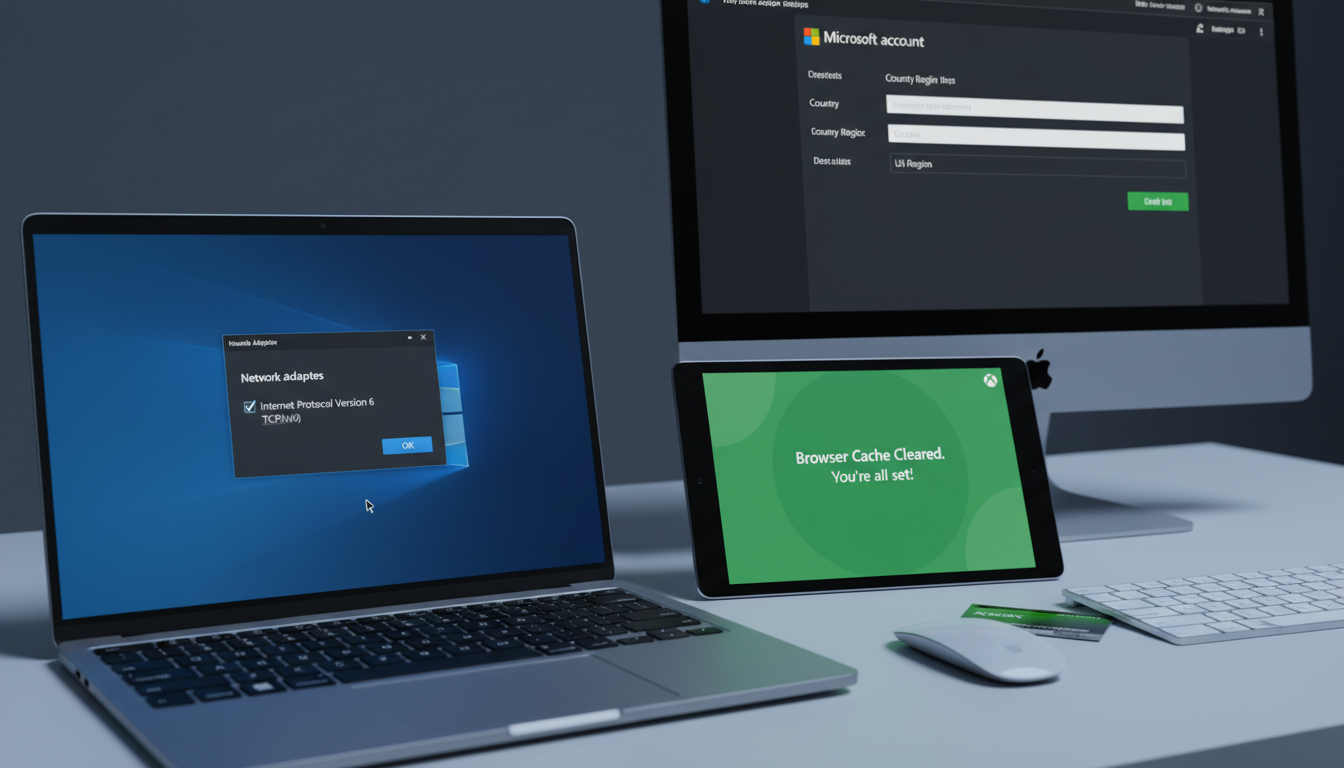
How to do it: Go to account.microsoft.com, navigate to "Your Info," and edit your "Country/Region."
Method 2: The VPN "Digital Travel" Strategy
For many nomads, Method 1 is too restrictive. This is where a Virtual Private Network (VPN) becomes a tool for legitimacy. By using a VPN, you are essentially telling the Microsoft server: "Hey, even though I'm physically in Tokyo, I am technically 'traveling' back to my home region (US) to redeem this code."
The Technical Setup for Success:
-
Browser, Not Console: Never try to redeem a foreign code directly on the Xbox console. Consoles have deep-level geo-tracking that is hard to mask.
-
Incognito Mode: Use an Incognito/Private browser window to ensure no old location cookies are interfering.
-
Server Matching: Your VPN server MUST match the region of the code you bought from HC TOPUP. If you bought a Brazilian Core code, you must connect to a Sao Paulo server.
-
Kill-Switch Enabled: Ensure your VPN has a kill-switch so that if the connection drops, your real IP isn't leaked mid-transaction.
Method 3: The Mobile Data "Clean IP" Trick
Sometimes, your home ISP (Internet Service Provider) uses a "Shared IP" that has been blacklisted by Microsoft for suspicious activity. If you are getting a region error even when the regions match, try redeeming the code on your smartphone using Mobile Data (4G/5G) instead of WiFi. Mobile IPs are rotated frequently and are often viewed as "cleaner" by Microsoft's security bots.
.png)
Part VI: Troubleshooting the "Invisible" Region Lock
What if you’ve tried the VPN, your regions match, and it still says "Cannot redeem"? This is where the technical hurdles get deeper.
1. The Browser Cache "Ghost"
Your browser (Chrome/Edge/Safari) stores location data in its cache. Even with a VPN on, the browser might tell Microsoft: "He says he's in Brazil, but his cache says he was in Dubai ten minutes ago."
-
The Fix: Clear your browser cache or use a completely different browser for the redemption.
2. The Microsoft Account "Hard Lock"
Some accounts are "Hard Locked" to specific regions (like China or certain EU countries) due to local laws. In these cases, migration is impossible, and you must create a new, secondary account in the desired region (e.g., US) to use those codes.
3. The IPv6 Leak
Standard VPNs often only mask IPv4 addresses. If your ISP provides an IPv6 address, Microsoft can see your real location through the "leak."
-
The Fix: Disable IPv6 in your Windows network settings before attempting redemption.
Part VII: Why HC TOPUP is the Safe Haven
In the world of region locks, the source of your code matters more than anything.
Avoiding "Stolen" Regional Codes
There are many marketplaces that sell "cheap" regional codes that were purchased with stolen credit cards. When the victim reports the fraud, the bank issues a chargeback.
-
The Result: Microsoft doesn't just revoke the code; they often ban the account that redeemed it. This is the dreaded "Red Ban."
The HC TOPUP Guarantee
At HC TOPUP, we understand the technicalities of geo-locking.
-
Authorized Sourcing: Our codes are sourced through official channels. They are "clean" assets.
-
Region Clarity: We clearly mark the region of every code. No guessing games.
-
Support for Nomads: If you are a digital nomad and you run into a "Region Lock" error, our support team doesn't just say "tough luck." We walk you through the technical steps mentioned above to ensure your code is redeemed successfully.
Part VIII: The Future of Geo-Locking
As we move into 2026 and beyond, Microsoft is leaning more into Cloud Gaming (xCloud). Cloud gaming is even more sensitive to region locks because it requires a low-latency connection to a local data center.
If you plan on using your Game Pass Ultimate for Cloud Gaming, your account region and your physical location must eventually align. The VPN trick works for redeeming the value, but for playing via the cloud, Microsoft will always try to route you to the nearest physical server. This is why we always recommend the US Account as the ultimate stable home for any global gamer—it has the best cloud infrastructure in the world.
Part IX: Frequently Asked Questions (FAQ)
Q: Can I get banned for using a VPN to redeem a code?
A: Strictly speaking, using a VPN to bypass regional pricing is against the Terms of Service. However, using a VPN to access your home-region content while traveling is a common practice for digital nomads. The key is to use high-quality, legitimate codes. Microsoft rarely bans for IP mismatches; they ban for fraudulent payments and stolen codes.
Q: I redeemed a Brazilian code on my US account via VPN, but my Game Pass says "US". Why?
A: Once a regional code is successfully "handshaken" and converted into Game Pass Ultimate, it becomes part of the Ultimate ecosystem. The "region" of the service usually adapts to your account's primary settings.
Q: Why is the US region considered the "Best"?
A: Because it is the "Master Region." It never suffers from delayed releases, it is never censored, and US Gift Cards are the most liquid and stable digital currency in the gaming world.
Conclusion: Knowledge Beats the Lock
The "Region Lock" panic is a result of a lack of technical information. Microsoft’s servers are just robots following a logic gate. Once you understand that the IP Address + Code Attribute + Account Setting must align for five seconds during the "Redemption Handshake," you can navigate the global gaming market with confidence.
Don't let a "Transaction Failed" message stop your grind. Whether you are a student in London, an engineer in Dubai, or a nomad in Bali, you have the right to play the games you bought.
Ready to secure your next code?
[Explore Global & US Xbox Codes at HC TOPUP]
👉 Return to Base: The Ultimate Global Gamer's Guide