
[Logistics] The 240Hz Advantage: Why Hardware is the Only Variable You Can Control
Hello to the overseas grinders. This is the Chief Strategy Officer at HC TOPUP.
There is a lie that casual gamers tell themselves: "Gear doesn't matter. A good player can win on a toaster."
While a pro player might beat a noob while playing on a 60Hz laptop, that pro player will never beat another pro player without top-tier hardware. In the world of competitive Fortnite, where aim assist is strong and editing speeds are measured in milliseconds, your hardware is your ceiling.
For those of us playing on overseas servers, hardware is even more critical. We cannot fix the 100ms network lag (Ping), but we can fix the System Latency.
Today, we are discussing Tip 2: Hardware Investments. Specifically, why the jump from 60Hz to 144Hz—and eventually 240Hz—is the single best investment you can make for your competitive career.
1. The Math of Victory: Seeing the Future
Why does 240FPS feel "smoother"? It’s not magic; it’s math.
-
60Hz Monitor: Refreshes the image every 16.6 milliseconds.
-
144Hz Monitor: Refreshes the image every 6.9 milliseconds.
-
240Hz Monitor: Refreshes the image every 4.1 milliseconds.
-
360Hz Monitor: Refreshes the image every 2.7 milliseconds.
The Reality: A player on 240Hz receives visual information 12.5ms faster than a player on 60Hz.
In a box fight where you and your opponent shoot at the same time, that 12.5ms is the difference between your shot registering first or you dying before your server receives the packet.
On 60Hz, you are literally playing in the past.
2. The "High Ping" Equalizer: System Latency
.jpeg)
This is the most important concept for overseas players.
Total Lag = Network Ping + System Latency.
-
Scenario A: You have 100ms Ping + a slow PC (50ms System Latency). Total Delay = 150ms. You feel like you are swimming in mud.
-
Scenario B: You have 100ms Ping + a 240Hz Beast PC (15ms System Latency). Total Delay = 115ms.
The Conclusion: Upgrading your hardware effectively "lowers your ping" by shaving off the internal processing delay. You can't move closer to the server, but you can make your PC process the game faster. This makes editing feel snappy, even when the network is dragging.
3. Visual Clarity: Tracking in Chaos
Fortnite is a game of rapid motion. You are spinning 360 degrees, enemies are shockwaving, and builds are breaking.
-
The Blur of 60Hz: When you spin fast on a standard monitor, the image smears. This is called Motion Blur. It makes it impossible to track an SMG spray accurately because the enemy is a blurry blob.
-
The Clarity of 240Hz: High refresh rates eliminate ghosting and blur. When you flick your mouse, the image stays crystal clear. This allows for Micro-Adjustments—that tiny movement of your wrist to hit a headshot while falling.
4. The Investment Roadmap: Where to Spend Money?
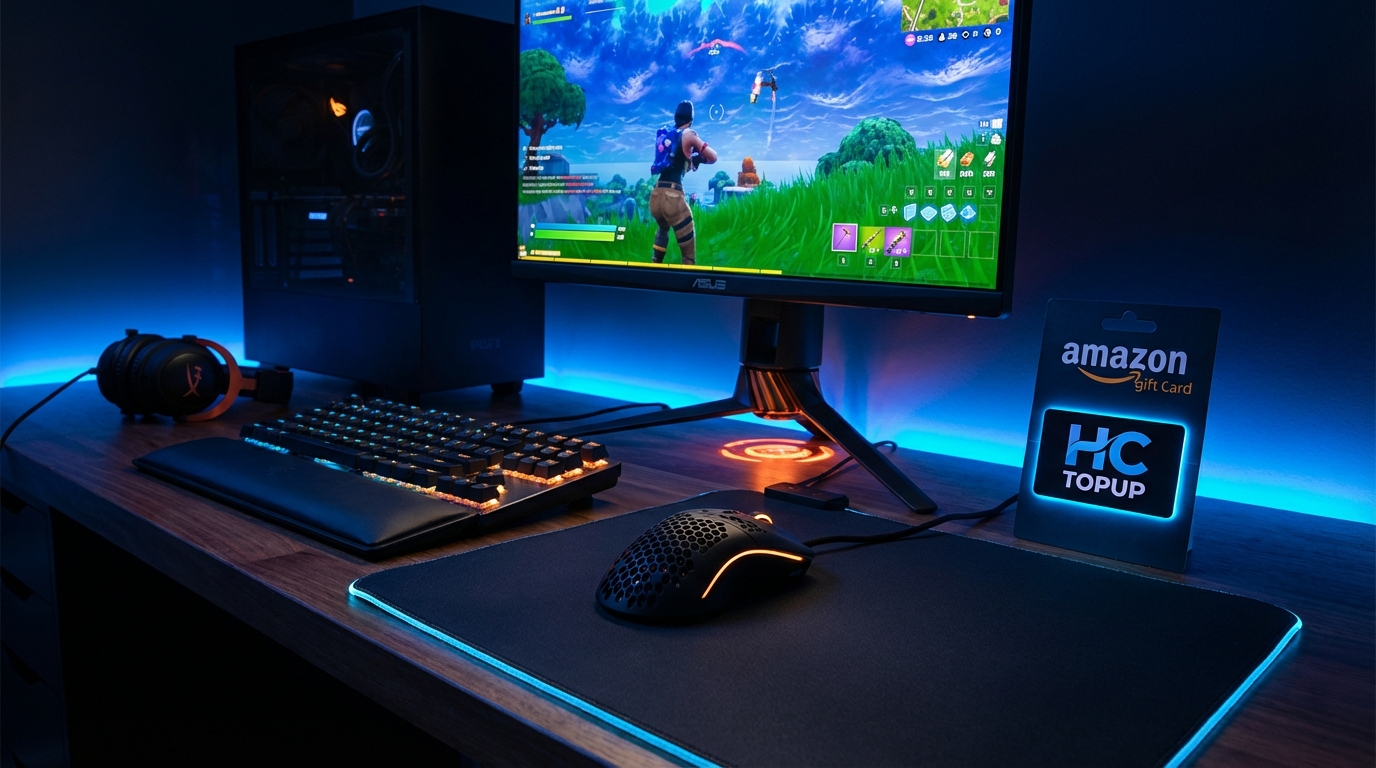
Hardware is expensive. You need a strategy. Here is the HC TOPUP Priority List:
-
The Monitor (The Window):
-
Entry Level: 144Hz IPS Panel (1ms response time). This is the minimum requirement for competitive play.
-
Pro Level: 240Hz or 360Hz (Zowie or Alienware). If you have the budget, this is the endgame.
-
The Mouse (The Wand):
-
Ditch the heavy office mouse. Get a lightweight (under 60g) gaming mouse with a high-polling rate sensor (1000Hz or 4000Hz).
-
The PC (The Engine):
-
Fortnite is CPU-intensive. You need a processor that can maintain stable Low 1% FPS. A consistent 144 FPS is better than a choppy 240 FPS.
🛒 Financing Your Upgrades with HC TOPUP:
High-end gear like the Logitech G Pro X Superlight or a BenQ Zowie Monitor is often cheapest on global platforms like Amazon.
-
The Problem: Many users struggle with international payments or region-locked credit cards when buying from Amazon US/JP.
-
The Solution: HC TOPUP provides Official Amazon Gift Cards. You can buy the exact amount you need to order your competitive gear. Upgrade your IRL setup with the same ease you upgrade your Battle Pass.
5. In-Game Optimization: Free FPS
Before you buy new gear, maximize what you have.
-
Performance Mode (Low Meshes): This is mandatory. It reduces visual clutter and boosts FPS significantly. It makes seeing enemies through builds easier.
-
Cap Your FPS: Cap your FPS slightly below your monitor's refresh rate (or at a stable number your PC can handle). Consistent frame times are better than fluctuating highs.
-
Fullscreen Mode: Never play on "Windowed Fullscreen." It adds input lag. Always use Exclusive Fullscreen.
Conclusion: Invest in Your Passion
If you play Fortnite for 2 hours a week, stick to 60Hz. It’s fine.
But if you are grinding Ranked, playing tournaments, and putting in 20+ hours a week... respect your time.
Don't let your skills be capped by a $100 monitor. The jump to 144Hz or 240Hz is a world where edits flow like water and shots connect like magnets.
It’s not Pay-to-Win. It’s Pay-to-Compete.
👉 [Get Your Amazon Gift Cards at HC TOPUP – Upgrade Your Rig Today]
👉 Return to Base: The Path to Mastery - Fortnite Pro Tips Pillar Page

-400x400.png)