⚠️ Important Payment Notice (PayerMax Users)
To ensure a smooth and successful payment, please make sure your VPN or proxy is turned off when using PayerMax.
PayerMax performs location verification during payment. If your VPN IP address does not match your actual location, the payment may fail or be automatically declined.
✅ Before making a payment, please:
-
Turn off any VPN, proxy, or network accelerator
-
Use your real local network connection
-
Retry the payment after disabling VPN if it fails
If you experience any issues, feel free to contact our support team — we’re always happy to help you complete your top-up smoothly 🙌
Why Choose Us?
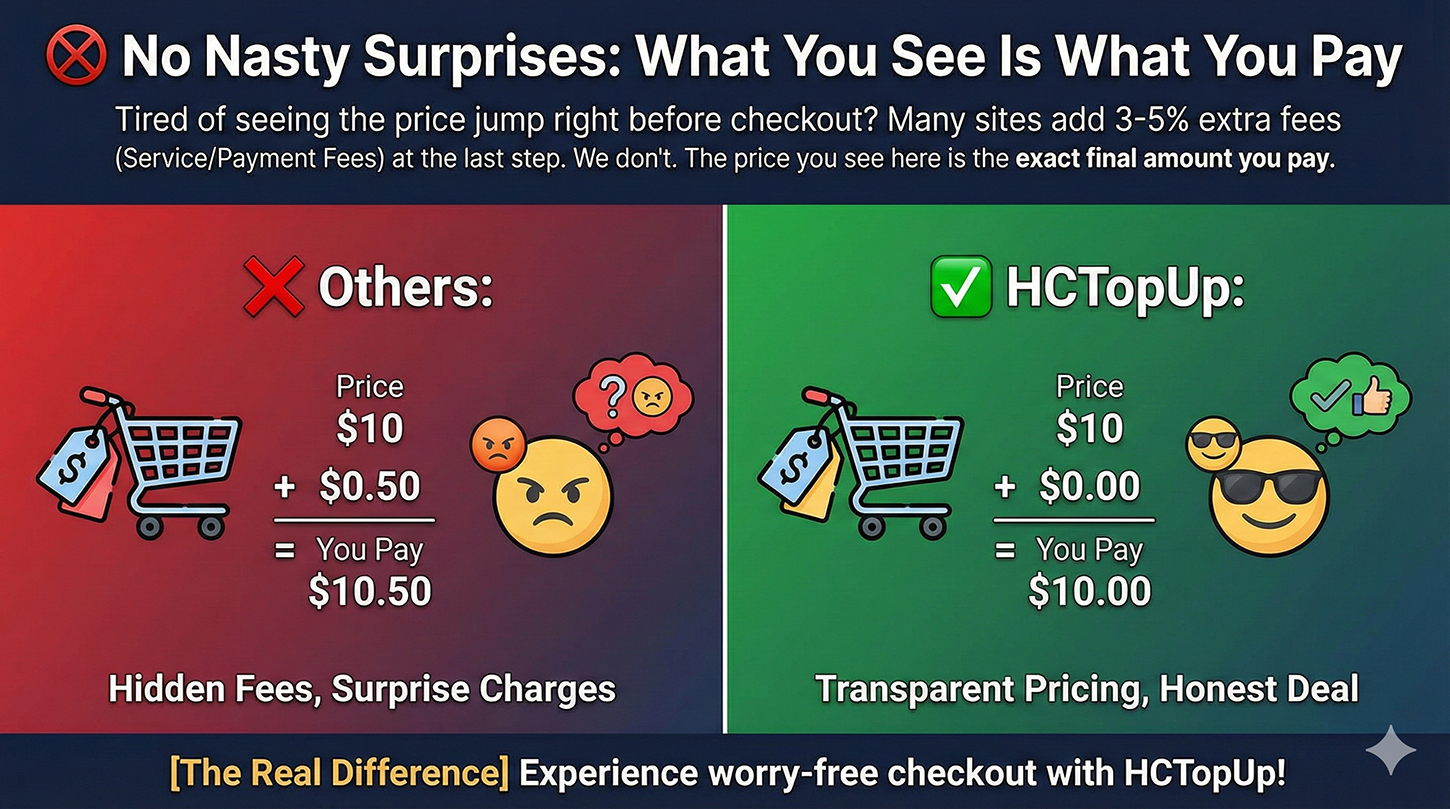
1. 🚫 No Nasty Surprises: What You See Is What You Pay Tired of seeing the price jump right before checkout? Many sites add 3-5% extra fees (Service/Payment Fees) at the last step. We don't. The price you see here is the exact final amount you pay.
[The Real Difference] ❌ Others: Price $10 + Fees $0.50 = You Pay $10.50 😠 ✅ HCTopUp: Price $10 + Fees $0.00 = You Pay $10.00 😎
2. ⚡ Instant Delivery (24/7) Time is money. Our fully automated system works around the clock. Whether it's 2 PM or 2 AM, your UC/Diamonds will be delivered to your account within 60 seconds after payment. No waiting for manual processing.
3. 💰 Lowest Price Guarantee Why pay more? We source directly from official channels to cut out the middlemen. This allows us to offer prices cheaper than in-game purchases, ensuring you get more gaming currency for your money.
4. 🛡️ 100% Secure & Private Your safety is our priority. We support trusted payment methods (Credit Cards, Local Wallets, USDT) and use enterprise-grade SSL encryption. Your personal data and payment details are strictly protected and never shared.
5. 🎧 Real Human Support We are gamers too, and we hate bots. If you have any issues with your order, our real human support team is online 24/7 to help you solve problems instantly via Live Chat.
PUBGM official reminder: Due to the different regional server of the personal account, the part of the gift of recharging UC is subject to the actual account.
Important information:
- PUBG M UC recharge only needs to provide player ID.
- You can stay logged in throughout the transaction, and once the top-up is complete, your PUBG M account will receive UC.
- Please enter your player ID correctly to avoid top-up errors/delays in receiving your purchased UC.
- This recharge service is not available for Japan/South Korea/Taiwan/Vietnam servers.
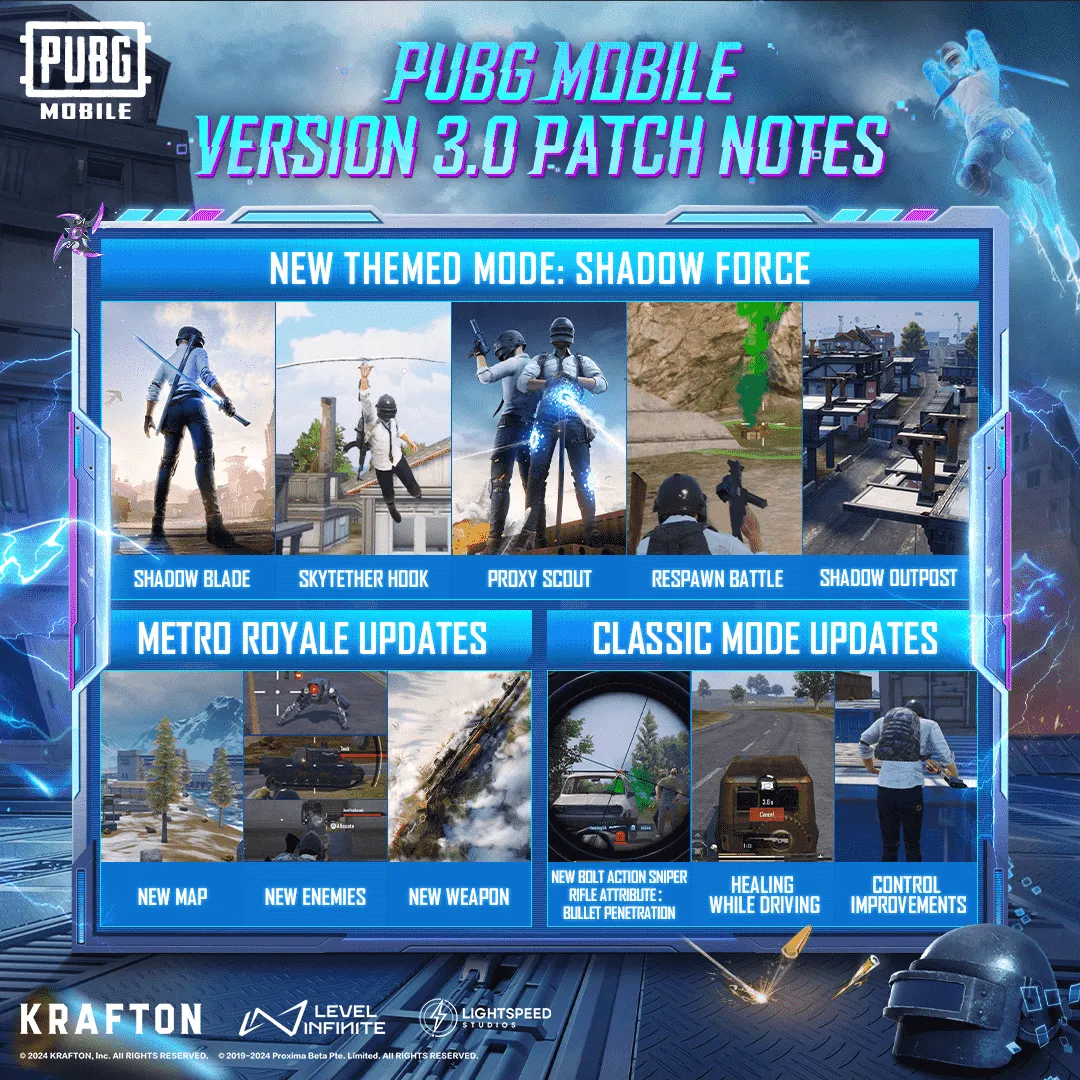
About PUBG Mobile
- PUBG Mobile is a mobile version of the popular 'PlayerUnknown's Battlegrounds' game. It has quickly become very popular with gamers all around the world. The game involves competing against up to 99 other players on an island, scavenging items, and killing opponents. The last survivor wins the game.
- The mobile version of the game is quite similar in concept to the console version, however there are some differences. fast buy online PUBG Mobile UC. The graphics and controls are slightly different, and as it is mobile, there are features that take advantage of mobile devices such as GPS tracking and voice chat.
- It is a great game for anyone who is looking for an intense battle royale experience on the go.
About PUBG Mobile UC
- PUBG Mobile UC (also known as Unknown Cash) is an in-game currency that can be used to make purchases in the PUBG Mobile store. It allows players to buy items like Battle Points and cosmetic skins, as well as other game features.
How to top up PUBG Mobile UC?
- Select the PUBG Mobile UC.
- Enter your Player ID.
- Check out and select your payment method.
- Once payment is made, the UC you purchased will be credited to your account shortly.
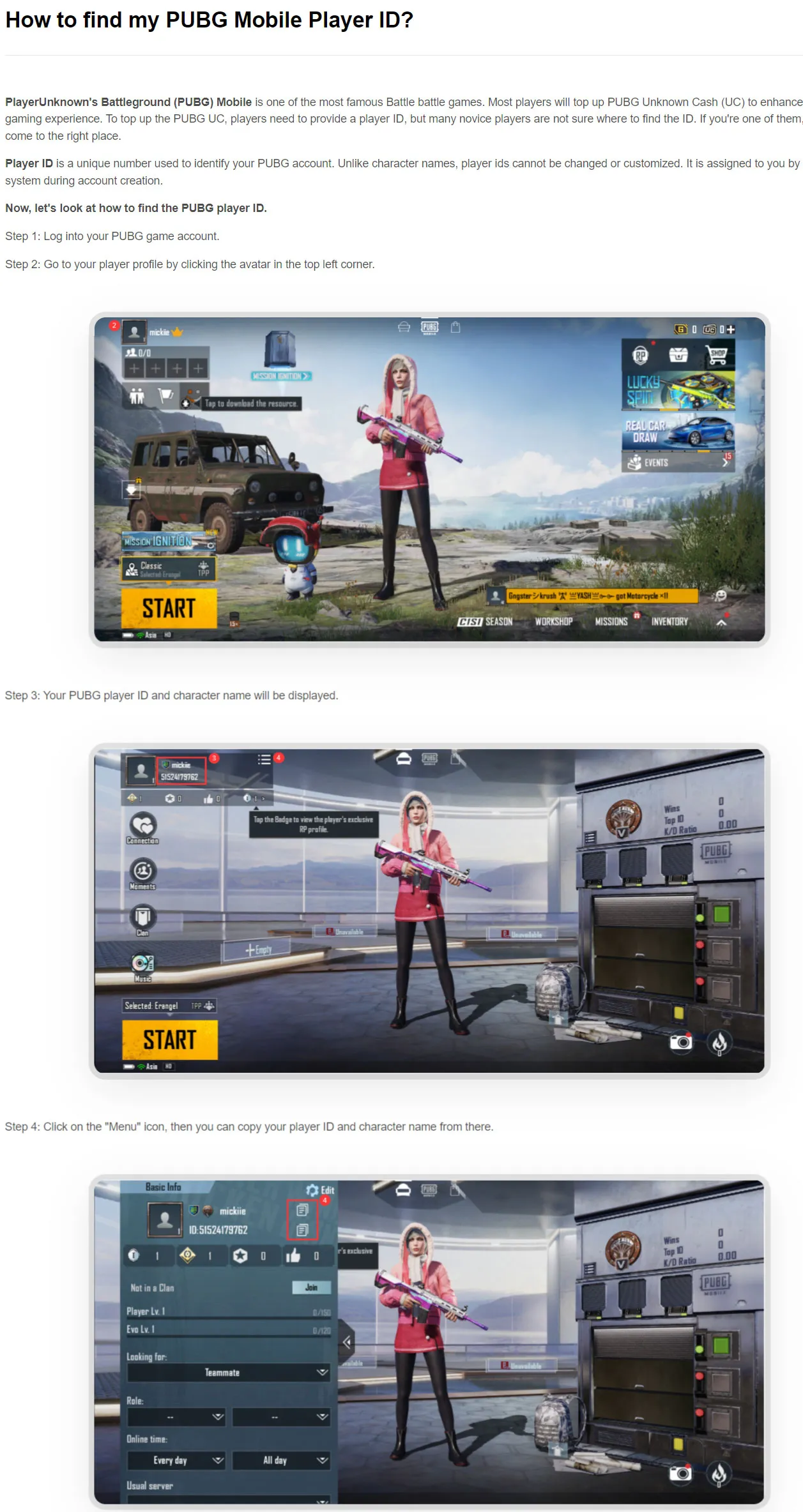
How to find PUBG Mobile player ID?
- Finding your Player ID in PUBG Mobile is easy. Here are the steps:
- Open PUBG Mobile on your device.
- Go to the Settings menu.
- Select Profile.
- Your Player ID will be displayed in the top-right corner of the screen.
 No related faq found
PUBG MOBILE 3.1 version update announcement
How to get free PUBG Mobile UC